Help
Submitting a support request
The Help Request Ticket page is how you reach the ReadyChatAI Customer Success team from inside your dashboard. Use it to report something broken, ask a question, or request a feature.
Two ways to get there:
- Click your profile picture in the top-right corner and choose Help.
- On a phone, open the navigation menu and tap Support.
The floating button in the bottom-right corner of the dashboard opens the Copilot instead — a separate assistant — not this page.
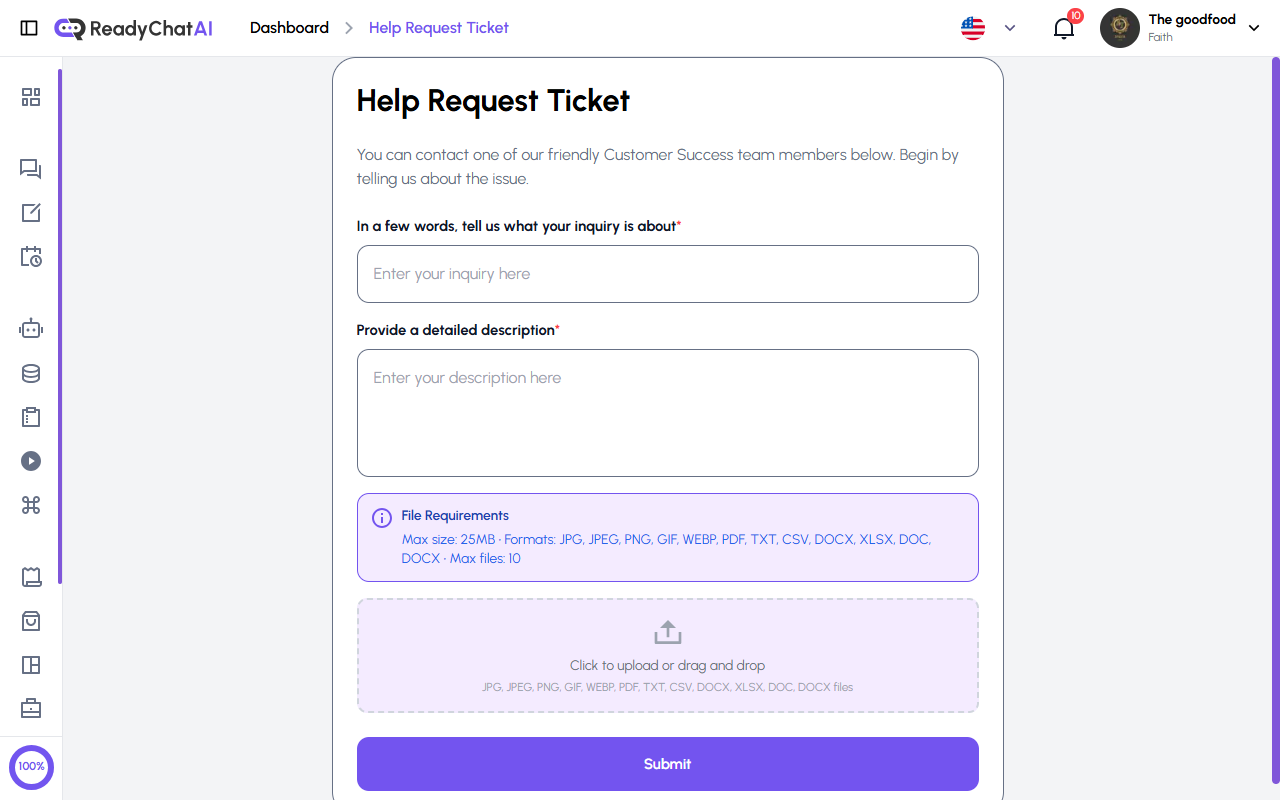 The Help Request Ticket form.
The form
| Field | Required | Notes |
|---|---|---|
| In a few words, tell us what your inquiry is about | Yes | Your one-line summary. Up to 256 characters |
| Provide a detailed description | Yes | The full explanation. No length limit |
| Add File | No | Screenshots, documents, logs — anything that helps |
Type of request
Every ticket you file here lands in the same queue — there's currently no way to mark one as a bug, a question, or a feature idea from this form.
Attachments
- Up to 10 files per ticket
- 25 MB maximum per file
- Accepted formats: JPG, JPEG, PNG, GIF, WEBP, PDF, TXT, CSV, DOCX, XLSX, DOC
- Click the upload area to pick files, or drag them onto it
Sending it
Fill in the summary and the description, attach anything useful, and click Submit. You'll see a confirmation that the request was sent, and the support team will get back to you.
After you submit
There's no page in the dashboard where you can check on a ticket once it's sent — the confirmation message you see when you submit is the only record of it inside the dashboard. A reply arrives by email, and the form doesn't ask for one separately, so mention the email address you want the team to use somewhere in your description.
Getting a faster answer
The difference between a ticket that gets resolved on the first reply and one that takes three is almost always the same thing: whether we can reproduce what you saw.
- Say where you were and what you did. Which page, what you clicked, what happened, and what you expected instead.
- Attach a screenshot. It is the single most useful thing you can include — it often answers questions we'd otherwise have to ask you.
- If it involves a specific conversation, order or customer, say which one. It saves us guessing.
- One issue per ticket. Two unrelated problems in one message get answered at the speed of the slower one.