Service Management
Services are what you sell by the appointment rather than by the unit: a consultation, a repair, a class, a home visit. What you set up here is what the bot can talk about, and what a customer can actually book.
Where it is: sidebar → Commerce & Services → Service Management. A real-estate account does not list Service Management in its sidebar — see Real Estate Mode.
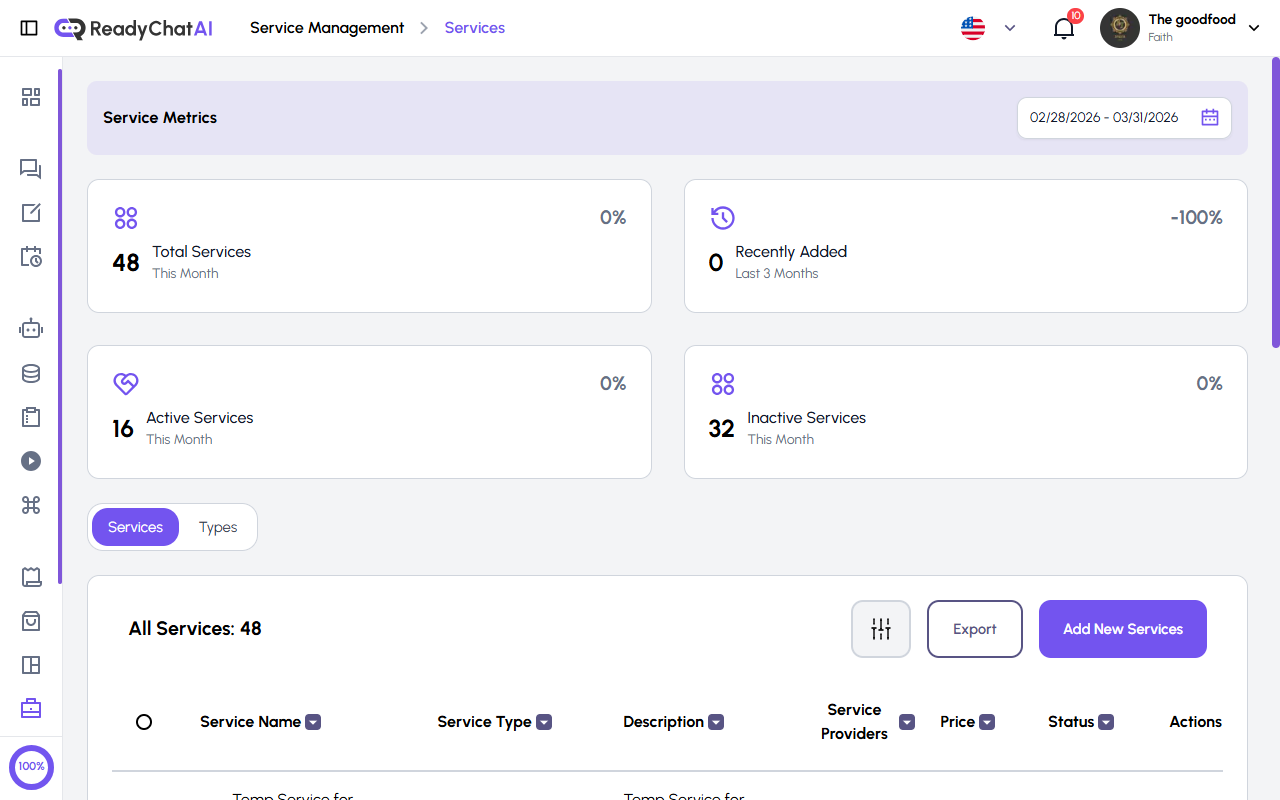 The Service Metrics, the two tabs and the services table.
Service Metrics
Four cards. The date range at the top right determines Recently Added; the other three cards show the catalog's current totals:
| Card | What it counts |
|---|---|
| Total Services | Every current service |
| Recently Added | Services created inside the period |
| Active Services | Services marked Active |
| Inactive Services | Services marked Inactive |
Two tabs
- Services — the services themselves.
- Types — the groups you file them under.
Services tab
The table
| Column | What it shows |
|---|---|
| Service Name | The name |
| Service Type | The group it belongs to |
| Description | Its description |
| Service Providers | The team members who deliver it |
| Price | Base price with its currency |
| Schedule Link | The service's own booking link, with a button to copy it |
| Status | Active or Inactive |
| Actions | View, edit or delete |
The header has a filter button, Export and Add New Services. Ticking the checkboxes lets you change the status of several services or delete them in one go.
A service is not sent to a recycle bin the way a product is: deleting it removes it for good, and the appointments booked for it go with it. If you just want to stop offering it, set its status to Inactive instead — it disappears from what the bot offers and keeps its appointments, though its Schedule Link stops working too (see below).
The Schedule Link
Every service has a permanent booking link of its own. Copy it and paste it anywhere — an Instagram bio, an email signature, a WhatsApp message — and whoever opens it books that service directly.
From the service's form you can Regenerate it. Be aware of what that means: the old link stops working immediately. Regenerate when a link has gone somewhere you'd rather it hadn't, not for the sake of it.
Setting the service to Inactive breaks the link too — anyone who opens it gets an error instead of the booking form. Switch the service back to Active to bring the same link back to life.
Creating or editing a service
Service details
| Field | Rules |
|---|---|
| Service Name | Required. Up to 255 characters |
| Service Type | Required. Pick an existing one, or choose "new service type" and create it right there |
| Price and Currency | The price cannot be negative. 0 is valid and means a free service |
| Status | Active or Inactive. A new service starts Inactive — switch it on yourself, or saving won't put it in front of the bot or customers |
| Description | Free text, no length limit |
| Assign Service Providers | The team members who can deliver this service. You can pick several. Once assigned, every confirmed booking emails that staff member a calendar invite (updated on reschedule, cancelled if the appointment is cancelled, deleted or moved to a different service) — only active team members with an email on file receive these |
Service Images — up to 10 images, each up to 10 MB, in JPG, PNG, GIF or WebP. A short promotional video (MP4, MOV or WebM) can be attached instead through the Copilot's media upload — there's no video upload on this screen — though the bot doesn't send it to customers on any channel yet.
Weekly Service Hours — when this service is available. There's a Same as business hours switch, off by default on a new service: turn it on to follow your business's opening hours, set under AI Configuration > Configure > Business Info — if your business has none yet, saving the service with the switch on is rejected — or build a custom schedule (only afternoons, only certain days). Until you do one of the two, the new service has no bookable times.
Scheduling Limits — the rules the bot respects when booking:
| Setting | What it decides |
|---|---|
| Minimum Advance Hours | How many hours ahead of time a customer has to book. 0 means no minimum notice |
| Maximum Advance Days | How far ahead they can book. 0 means no maximum lead-time cutoff |
| Cancellation Restriction | How many hours before the appointment they can no longer cancel or reschedule. 0 means no cutoff from this setting |
| Appointments Per Slot | How many appointment starts the schedule creates per hour. This must be at least 1 to offer times: 0 leaves the service with no available time slots |
| Maximum Appointments | The weekly ceiling. 0 means no weekly limit |
| Duration | How long an appointment for this service lasts |
Checkout questions and FAQs — the same block products have: what the bot asks when someone books this service, and the questions it can answer about it. See Checkout Questions.
Click Save when you're done.
Types tab
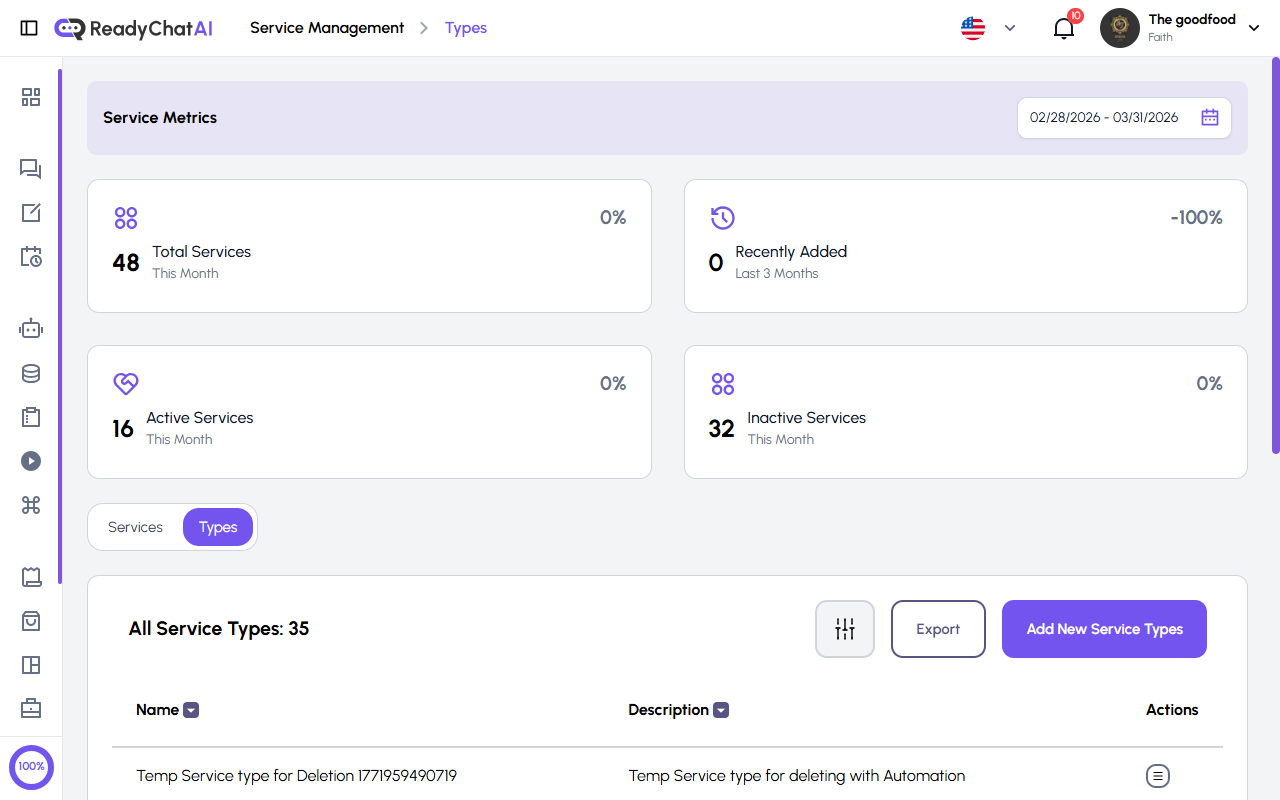 The Types tab.
Service types group your services: "Consultations", "Repairs", "Home visits". Every service belongs to one.
| Column | What it shows |
|---|---|
| Name | The type's name |
| Description | Its description |
| Actions | Edit the type or delete it |
Name and Description are sortable. The header has a filter, Export and Add New Service Types.
Creating one: name (up to 255 characters) and description (up to 1,024). You can also create a type without leaving the service form, by choosing "new service type" in the Service Type field.
Deleting a type does not delete its services. They stay exactly as they are, simply with no type, ready for you to reassign. (The confirmation dialog warns you that services and appointments could be affected; they aren't — only the grouping is lost.)
What the bot does with all this
Once your services are set up, the bot:
- talks about them in conversations, with their price, duration and description;
- answers what it was asked using the FAQs linked to the service;
- collects the data you asked for in that service's checkout questions;
- books, respecting the hours and every scheduling limit above.
Booked appointments show up in Appointments. How the bot books — inside the chat or by sending a link to the calendar — is set in Configure.
Getting more out of it
- Write real descriptions. "Diagnosis, cleaning and a 30-day warranty" gives the bot something to answer with; "Basic service" doesn't.
- Set the limits honestly. If you can't take someone in less than four hours' notice, say four hours here — that's the whole point of the field.
- Assign providers. A service with nobody assigned to it is harder to schedule.
- Deactivate instead of deleting. Inactive takes the service out of what the bot offers and keeps its questions and appointments, but it also breaks its Schedule Link. Deleting takes the appointments with it.